Confluence Has Native Approvals. But What Happens When the Approver Is External?
Approvals are becoming a native part of Confluence. Atlassian has introduced built-in approvals for Confluence pages, bringing formal review, approval history, required reviewers, due dates, and publishing controls directly into the content lifecycle. For teams that need straightforward internal sign-off, that is an important step forward. But approval processes rarely stop neatly at the boundary of your Confluence site. A Statement of Work may require client approval. An architectural proposal may be sent to an external consultant.
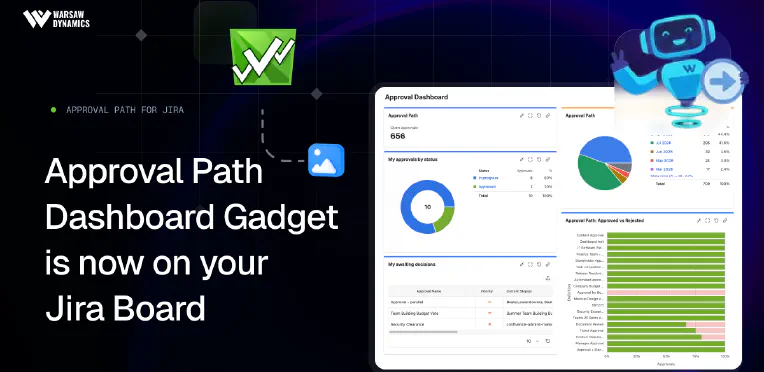
Better Approval Visibility: Approval Path for Jira Comes to Your Jira Dashboard
Approval workflows are made to define what needs to happen next: Who needs to approve? In what order? Under which conditions? What happens after a decision? But even the best-designed process can slow down for a very ordinary reason: someone simply doesn’t notice that an approval is waiting for them. A request sits pending. Someone asks for an update, and another person checks whether the approver has seen it. A perfectly structured workflow suddenly involves a surprising amount of chasing.
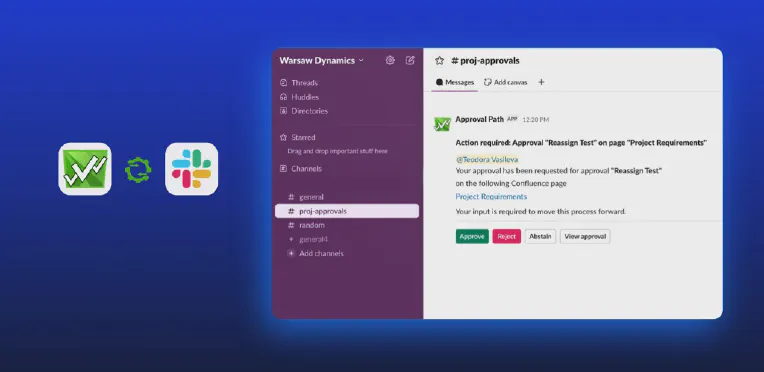
Approvals That Follow the Work, Not the Other Way Around: Bringing Approval Path to Slack
Approval processes often fail not because the workflow is wrong, but because the decision gets lost between tools, tabs, inboxes, and busy schedules. They are rarely the “main task” someone is doing, and they sit between product releases, document reviews, budget confirmations, access decisions, content publishing, or process checkpoints. The problem is not always the approval itself as a separate, time-consuming action, but rather that the request often lives elsewhere.
How to Centralize Approval Auditing and Eliminate Cross-Checking in Jira
Why Audit Trails are Essential in Modern Jira Use An audit trail is a chronological record of all system activity, showing who performed each action, when, and how. In Jira, the history report serves as a mark of trust. As collaboration extends to external vendors, partners, and clients, a strong audit trail becomes essential for accountability and regulatory compliance. This is particularly crucial for decision-making processes, where capturing evidence of a manager’s sign-off or a legal team’s approval is critical to proceed.

Advanced Approval Templates for Jira: Streamlined Processes and Full Transparency
For years, Jira teams have improvised approval workflows using statuses, comments, checklists, or custom fields. As work becomes increasingly cross-functional - involving legal, finance, procurement, and external collaborators - approval steps have become more critical to governance, compliance, and operational clarity. To address this growing demand, Atlassian has recently begun rolling out native approval features in Jira Cloud - a sign that they’re listening closely to customer needs and evolving Jira beyond simple task management into a structured decision-tracking system.

'Adoption is the Most Important Part of Implementing the Tool' - Envorso Customer Success Story
We had the pleasure of sitting down with William and Filip from Envorso , an Atlassian Gold Solution Partner and consulting firm specializing in enterprise agility, digital transformation, and operational excellence. During the interview, they shared insights into how Approval Path for Confluence helped one of their clients solve critical challenges during a large-scale documentation migration to Confluence. Watch the full interview here: For those who prefer reading or are unable to watch the video at this time, we have prepared an interview summary below.

5 Blockers Slowing Down Your Confluence Approvals and How to Fix Them with Approval Path
Confluence includes a built-in Automation feature that allows admins to create rules for actions like sending notifications, changing page status, or triggering events based on page updates. More recently, Atlassian introduced Smart Buttons as a way to make automation more accessible, letting users trigger those rules manually from a page. However, the usage is directly tied to your automation usage quota, which depends on your Confluence plan. If you’ve tried building approval workflows using Confluence’s native features alone, you may have already run into some of these challenges.

Document Approval Workflows in Confluence: Approval Path vs. Comala Document Management
Effective document workflow management is a cornerstone of successful collaboration in modern organizations. Whether it’s publishing knowledge base articles, handling legal contracts, customer-facing proposals, or internal compliance documents, having a clear, well-defined approval process is essential. Without it, teams risk publishing outdated, incorrect, or non-compliant content. Fortunately, there are convenient tools available for Confluence that help organizations streamline and control their content approval processes. In this article, we’ll explore two of the most popular apps that enhance Confluence with structured approval workflows: Approval Path for Confluence and Comala Document Management.
How to Connect Jira Workflows with Approvals
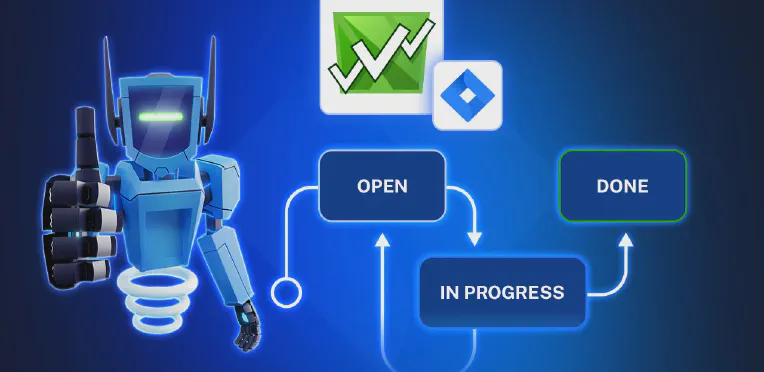
Approval Path for Jira X Jira Workflows At Warsaw Dynamics, many of our clients have asked how to manage approvals more effectively within their Jira workspace. In this article, we’ll explain how Approval Path for Jira integrates directly with Jira’s workflow engine and how to apply key features to a real project scenario. Jira Workflows in a Nutshell Many companies are using Jira for structured task management. Each project or team may have its own way to track and complete work.
How to Improve Content Reviews in Confluence with Approval Path
In today’s article, we’ll cover why having an approval process for Confluence pages matters, how to create your own approval process using Approval Path for Confluence , and share a real-life example from our Warsaw Dynamics team! Why Set Up an Approval Process for Confluence? Without an approval step, content can be published before it’s ready. Documents may include sensitive data, outdated information, or content that hasn’t been reviewed by the right people.