Better Way to Handle Document Approvals in Confluence
If your company works in Confluence, you’re probably handling a lot of important documents like product specifications, technical documentation, internal policies, and more. And in the process, there’s a lot to keep track of. For example, who needs to approve it? In what order? How do you track the latest version? And what happens next? Many teams rely on emails to request approvals, but as our customers often tell us, threads of emails are a nightmare!

Approval Path for Jira: Product Development Workflow
Today, we are happy to introduce Approval Path for Jira , showcasing its capabilities in a Product Development Workflow use case. Organizations using Jira for development can leverage this tool to streamline and automate their approval processes! Why Approval Process is Important? A structured approval process is essential in product development, from the initial concept stage to final market release. While workflows may vary depending on the product and business objectives, this article outlines a simplified four-phase approach.

Build a Smarter Workflow with Approval Path for Confluence
Review Confluence Page Efficiently Does your organization require Confluence page approvals for documentation reviews or content management purpose? Implementing an approval workflow in Confluence involves defining specific states that a page transitions through during its lifecycle. These states help manage content creation, review, and publication processes. While Confluence doesn’t offer a built-in approval workflow feature, you can establish a structured process using Approval Path for Confluence, an add-on developed by Warsaw Dynamics.

Introducing Success & Rejection Steps
At Warsaw Dynamics, we are continually refining Approval Path based on our customers’ feedback, so we can make their workflow flawless. We have introduced Rejection Step previously, and now we have released the Success Step for both Approval Path for Jira and Confluence. In this post, we will explain what these steps are, with some use cases, showing you how they can help Approval Path process more efficiently based on the application version for Jira.

Understanding the Abstain Feature in Approval Path
When it comes to decision-making, there are times when we don’t want to give a definitive “yes” or “no.” Based on our customer’s request, we have launched a new feature in Approval Path: Abstain option. This option is working on both Approval Path for Jira and Approval Path for Confluence. The term ‘abstain’ means to stay neutral in a decision. This option allows you to opt out of a vote without siding with approval or rejection, which can be useful in several situations.

API Capabilities for Approval Path
Approval Path made the approval process so much easier. Still, there are ways companies can do more to improve business efficiency and connect with other tools. With our Approval Path for Jira or Approval Path for Confluence, you can easily generate API Keys from the global setting and customize to suit customer needs. API mechanism applies same to both, but the only difference is that in Jira, approval runs in the issue context.

The Notifications Feature and How to Use Them in The Approval Path for Jira
We’d like to introduce a great feature in Approval Path for Jira & Confluence designed to streamline your approval processes: additional notifications. This feature ensures that users are promptly reminded to take action on their approval steps, enhancing efficiency and accountability within your team. Here’s how it works with the example of Approval Path for Jira and how it can be used. You have a new notification How Notifications Work With the notifications feature in Approval Path for Jira, users can send reminders through either Jira or direct email notifications.

Make Approval Path for Jira Processes Easier with Automation
Previously, Automation required technical expertise and the use of APIs. Based on the feedback of our customers, we have launched a new feature called ‘Automation’ in Approval Path for Jira , which enables us to skip semi-tech steps to set it up. With just a few clicks, we can save your time and reduce human errors by using Automation feature! Automation step for Approval Path Introducing new features of Automation The newly added Automation step can be performed at the definition level, which means specific automation settings can be applied to any kind of project as long as rule applies to the project.

Approval Path for Jira vs Herzum Approval
For people running or being a part of a project, especially a bigger one, it’s obvious that each project is a multi-step process. Each step often requires approval (or various approvals) before proceeding to the next one. For example, when an advertising agency is preparing a campaign for a customer before graphic designers can create visualizations, concepts must be proposed, selected, and approved by the creative team, project manager, and client.
Product Development with Approval Path for Confluence
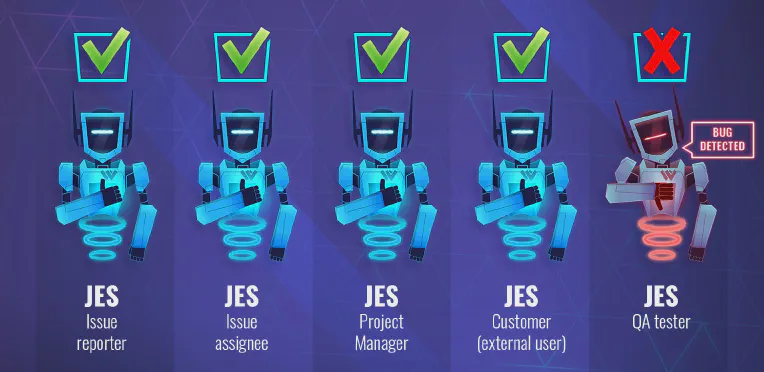
JES Factory product developers have been tasked with designing new products for the catalogue. Given the complexity of the job, they turned to the Approval Path for Confluence to efficiently coordinate their work with other departments to make sure the product checks off all the boxes. The Journey of the Product Development Lifecycle Ideate and Document the Product Concept The conceptualization team is the first to engage. Organizing and refining their ideas can be chaotic.