Cross-Company Collaboration with External Share for Jira
Why Jira Boards? Jira boards are workspaces that help teams manage work, track progress, and collaborate on projects efficiently. They provide a clear overview of Jira issues, statuses, and workflows, making it easier to stay organized and productive. For example, teams with larger projects or multiple workstreams, teams that practice scrum are ideal for using Jira boards. Warsaw Dynamics’ External Share for Jira lets you securely share Jira boards with clients, contractors, and external teams, even if they don’t have a Jira license.

Managing Contracts in Jira Without Using Confluence
Many companies rely on Jira for their project management needs but still struggle with creating and managing contracts without jumping between tools like Confluence. What if you don’t want to use Confluence? That’s why we created Contract Signatures for Jira — an add-on designed to help teams handle contract creation, e-signatures, and management entirely within Jira. In this article, we’ll show you how our app simplifies contract workflows without needing Confluence and keeps everything in one place.

Approval Path for Jira: Product Development Workflow
Today, we are happy to introduce Approval Path for Jira , showcasing its capabilities in a Product Development Workflow use case. Organizations using Jira for development can leverage this tool to streamline and automate their approval processes! Why Approval Process is Important? A structured approval process is essential in product development, from the initial concept stage to final market release. While workflows may vary depending on the product and business objectives, this article outlines a simplified four-phase approach.

Integrating Apps for Smarter Workflows: External Share for Jira Meets Smart Fields
In today’s fast-paced business environment, apps for Jira don’t just help teams work smarter - they open the door to even greater potential when integrated. By connecting tools, you empower your team with seamless workflows, enhanced insights, and powerful automation. When we met the Decadis team, we saw an incredible opportunity to combine the strengths of our apps - External Share for Jira and Smart Fields (an app created by Decadis as a complement to their Jira Workflow Toolbox app) - to create a dynamic, user-friendly solution.

Why Export Jira Tickets to PDF and how to do it
Managing tasks, tracking progress, and ensuring seamless communication are cornerstones of efficient project management. Jira is an excellent platform for these tasks, but there are times when you need to work outside its boundaries. Whether you’re meeting legal requirements, archiving issues, or preparing documents for distribution, having a reliable way to export Jira tickets into a secure and universally accessible format is essential. Discover PDF Export for Jira, an app designed to transform Jira issues into polished PDF documents.

Managing bug reporting with External Share for Jira
Efficient bug management is vital for delivering high-quality software, especially when external stakeholders like beta testers or clients are involved. The External Share for Jira app simplifies this process by enabling seamless collaboration through shared Jira boards. This article explores how you can use the app to empower external users to report and track bugs directly, saving time and streamlining communication. Streamlining Bug Reporting: How It Works Managing bug reports becomes significantly easier with a Jira board dedicated to external collaboration.

Keep External Stakeholders Updated: External Share for Jira
When working with clients or third parties who don’t have direct access to your Jira workspace, it’s important to be transparent about project progress. However, it’s also crucial to protect the sensitive information. With External Share for Jira, you can securely share updates and manage access for external stakeholders. We would like to introduce some helpful features, including Exclude Content Macro, setting up Single Sign-On (SSO), configuring a custom domain, and sharing project boards.

Introducing Success & Rejection Steps
At Warsaw Dynamics, we are continually refining Approval Path based on our customers’ feedback, so we can make their workflow flawless. We have introduced Rejection Step previously, and now we have released the Success Step for both Approval Path for Jira and Confluence. In this post, we will explain what these steps are, with some use cases, showing you how they can help Approval Path process more efficiently based on the application version for Jira.

Understanding the Abstain Feature in Approval Path
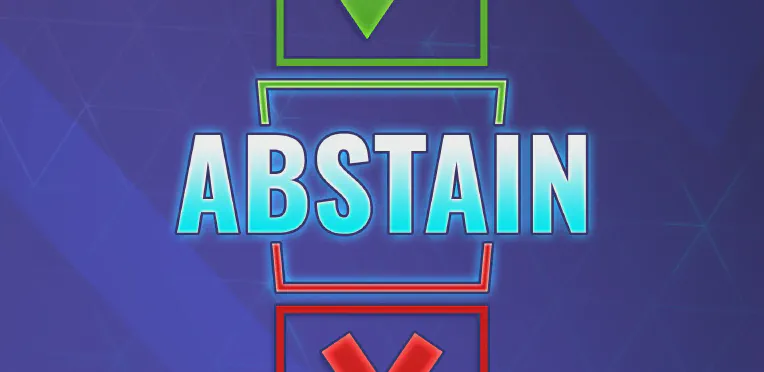
When it comes to decision-making, there are times when we don’t want to give a definitive “yes” or “no.” Based on our customer’s request, we have launched a new feature in Approval Path: Abstain option. This option is working on both Approval Path for Jira and Approval Path for Confluence. The term ‘abstain’ means to stay neutral in a decision. This option allows you to opt out of a vote without siding with approval or rejection, which can be useful in several situations.
API Capabilities for Approval Path
Approval Path made the approval process so much easier. Still, there are ways companies can do more to improve business efficiency and connect with other tools. With our Approval Path for Jira or Approval Path for Confluence, you can easily generate API Keys from the global setting and customize to suit customer needs. API mechanism applies same to both, but the only difference is that in Jira, approval runs in the issue context.