





How to Make, Manage, and Sign Contracts in Confluence
Lots of the organizations we encounter are using Microsoft Word, Google, Adobe, SharePoint, and various other tools to create, collaborate on, and store their agreements. Many of these tools don’t integrate with each other, putting teams and their data into silos. Silos that breed delays and replication in the contract management process. With so many more people now working remotely, silos are becoming harder to maintain. Increasing numbers of organizations are looking to centralize their data and achieve a single source of truth in order to alleviate the confusion and poor data quality that comes from having distributed teams spread across time zones, all working off different information.

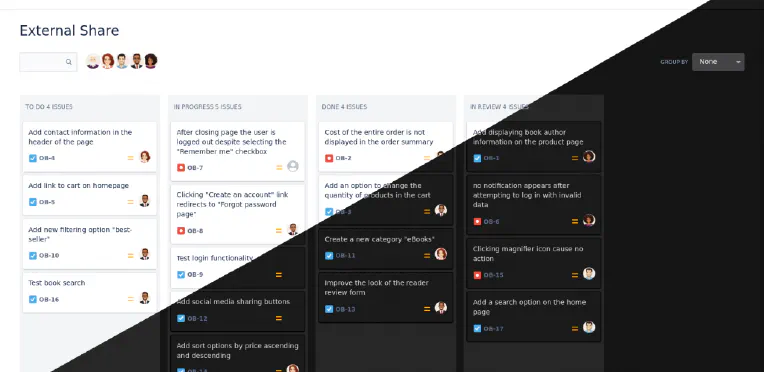
With Automation, Dark Mode, Custom Domains & More, External Share is Basically A New App
Our team have added so many new features and improvements to External Share for Jira and Confluence over the past few months that what customers are getting now is effectively a brand new app. Let’s walk through some of the additions. Automated Share Management We would all rather be doing things that are valuable. Things that make us money. Admin tasks don’t make us money. They make us bored.
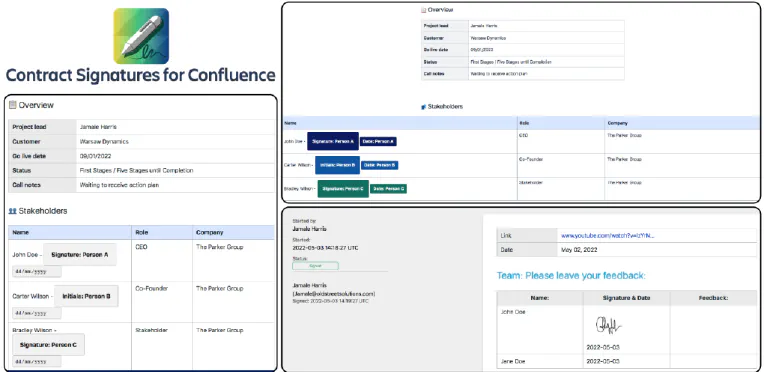
Digitally Sign Contracts in Confluence with Warsaw Dynamics' Brand New App
Confluence is already an ideal place to be creating, managing, and storing your contracts . Of course, the most important feature of any contract is the signatures of the parties. It’s not an agreement till someone agrees to it. And yet, there’s no way of digitally signing contracts inside Confluence. You’d need to export it and use another digital signature tool like DocuSign, taking the process and the audit trail outside of the platform you’re working in.
Controlling Who Sees Your External Share for Confluence and Jira Links
Companies have been asking us for a way of restricting which users can see their External Share for Jira and Confluence links. Previously, you could create a secure link to your Confluence page or Jira issue and share it with a chosen person outside your instance. That link was always safe from a randomer on the internet finding it, thanks to its unguessable 16-character URL. It could be protected further by adding a password, making the page or issue inaccessible to anyone without it.

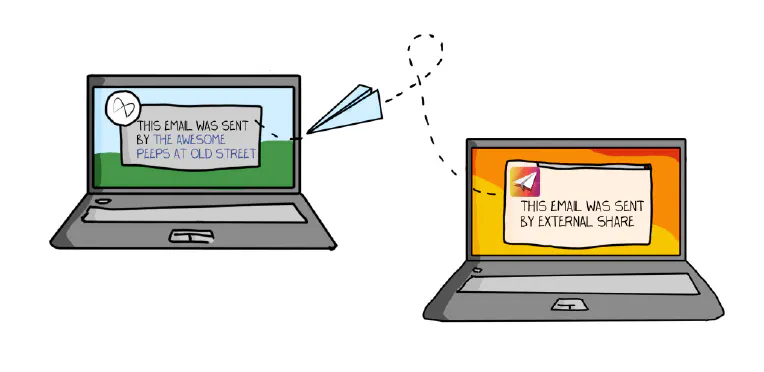
How to Customize your External Share Email Templates
After creating an External Share link to a Confluence page or Jira issue, there are two ways to share the link with a user outside of your instance: Copy the URL of the External Share version of the page or issue and paste it into an email or instant message. Click “Send via email”, which will send your External Share link to the email address you enter using an email template.
How to Share Jira with External Users (Securely)
As Jira grows ever more ubiquitous, it’s increasingly necessary for larger and more diverse groups to communicate and collaborate on projects in real-time. The ancients’ rituals of emailing screenshots are embarrassingly outdated for software-enabled teams that bought Jira to avoid email-chain siloes and the disheartening disaster of discovering efforts have been duplicated due to a lack of real-time project management. Fear not! There are three options for collaborating securely with external users in Jira:

4 Ways of Sharing Confluence Content
If your organization is using Confluence, it’s likely that you’ve been asked how to share the content you’ve created. There are a lot of reasons you may want to share Confluence pages, e.g. you may need to collaborate with someone on the content, or deliver it to someone inside or outside of your organization. Understanding the different options for sharing from Confluence is essential and you’ll probably end up using a combination of them, depending what you’re doing.

How to manage approvals in Jira – a step-by-step guide
Approvals in Jira have become as necessary as workflows and boards. This is thanks to increasing adoption among business teams like HR, operations, legal, and procurement, for whom approvals are an everyday function. And yet, there is no native functionality for approval management in Jira itself (apart from in Jira Service Management, and it’s not very good). This is why we have built Approval Path for Jira, an app that lets you create as many project-specific templates for approving a piece of work as you like.
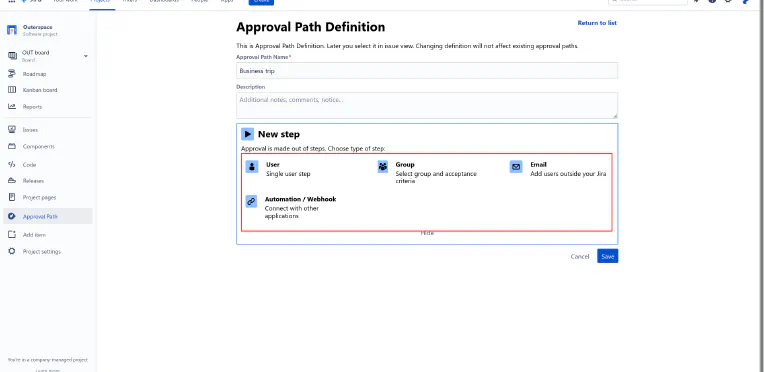
Approval management is the missing piece of the Jira toolset
Approval Path for Jira Native Jira’s only approval management functionality is in Jira Service Management (JSM), and we’re being kind when we say it’s, urm, not the best. In Jira Software and Jira Work Management (JWM), a workaround is your only option for getting a process, proposal, or purchase approved within Jira. And yet, it’s something users are frequently asking for help with on the Atlassian community, specifically, how to add an approval step to a Jira Software or JWM project.

Wanna See Some More? Now Your External Users Can Become Watchers on Jira Issues
A new feature has just launched in the cloud version of our External Share for Jira app. We call it ‘External Watch’. External Watch lets your external users subscribe to the issues you’ve given them access to. That’s good for them because it saves them time. It’s good for you because it makes collaboration more immediate so that work can progress faster. For the uninitiated, External Share for Jira gives external users secure, temporary access to a live Jira issue by generating unique links with optional passwords and time limits, and easy-to-specify permissions.