





External Share for Jira Earns “Apps in the Spotlight” Badge!
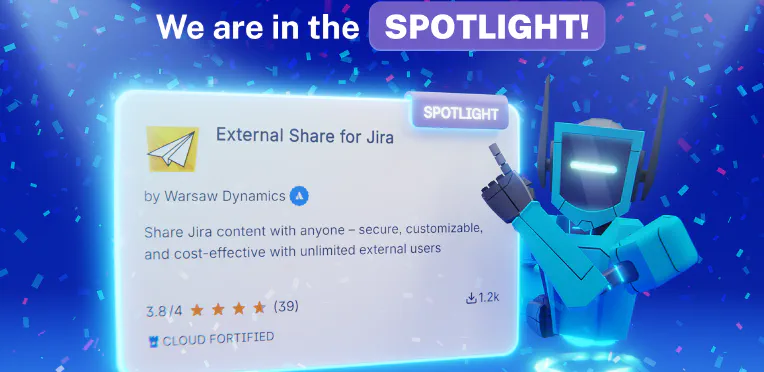
We’ve got some nice news to share - External Share for Jira has been featured in the latest “Apps in the Spotlight”. This program highlights apps that have shown steady growth and strong adoption over the past quarter. It’s a small badge, but for us it means a lot. It tells us we’re heading in the right direction and building something that people actually find useful. Why this matters to us We’ve been working on External Share for Jira for quite a while now, focusing on a simple goal: making it easier to share Jira content with people outside your organization, without creating extra friction or losing control over what’s shared.
Getting ready for Team ’26: How we at Warsaw Dynamics are preparing for Atlassian’s biggest Community Event
Every year, the global Atlassian community gathers for what is widely considered its most important event: Atlassian Team'26 . This year, the event takes place again in Anaheim, bringing together customers, partners, developers, and enthusiasts from all over the world who share a passion for collaboration, productivity, and innovation within the Atlassian ecosystem. For companies building solutions in the Atlassian Marketplace, Team is more than just a conference - it’s where ideas are exchanged, relationships are strengthened, and the future of teamwork software takes shape.

Write better and streamline your technical documentation with Macro Pack
Confluence is a powerful platform, but when it comes to technical documentation, its native formatting often feels restrictive. Architecture diagrams, API specifications, structured data, and technical markup quickly exceed what basic macros can handle. As a result, teams rely on screenshots, external links, or multiple apps that are difficult to maintain and keep in sync. If your documentation struggles to keep up with your needs, the problem might be your tooling.

“It’s great to have good partners that align in values” - Sourcesense Customer Success Story
For Atlassian Solution Partners like Sourcesense , sharing project data securely with multiple customers is not just a “nice to have”, it’s a daily operational necessity. In this customer success story, Fiona explains how External Share helps them collaborate with clients while keeping security, compliance, and simplicity in check. Watch the whole interview: About Sourcesense Sourcesense International is a UK-based Atlassian Platinum Solution Partner, supporting organizations across Europe with everything from system audits and configuration to migrations, training, consultancy, and long-term support.

Looking ahead: what can you expect in 2026? Ecosystem, Community, Apps growth
Looking back before we look ahead Before diving into what 2026 has in store, it’s worth pausing for a moment to appreciate just how much happened over the past year. 2025 was a defining year for us. Our team grew, not only in size but in experience and ambition. We shipped meaningful updates across all of our apps, with a strong focus on stability, flexibility, and real-world use cases. We launched a monthly newsletter on our LinkedIn to share app updates more transparently - if you haven’t subscribed yet, you still can do it here .

Atlassian's Data Center to Cloud: what the end of an era means for your business and how to control the costs
A while ago, Atlassian officially announced the gradual shutdown of its Data Center (DC) offerings, confirming what many enterprises had already suspected: the future of Atlassian is Cloud-only. For organizations still running Confluence Data Center, this announcement raises important questions. What does this change really mean? How much time do you have? And most importantly, how can you migrate without exploding your license costs or compromising security? Let’s break it down.

How to Centralize Approval Auditing and Eliminate Cross-Checking in Jira
Why Audit Trails are Essential in Modern Jira Use An audit trail is a chronological record of all system activity, showing who performed each action, when, and how. In Jira, the history report serves as a mark of trust. As collaboration extends to external vendors, partners, and clients, a strong audit trail becomes essential for accountability and regulatory compliance. This is particularly crucial for decision-making processes, where capturing evidence of a manager’s sign-off or a legal team’s approval is critical to proceed.

Advanced Approval Templates for Jira: Streamlined Processes and Full Transparency
For years, Jira teams have improvised approval workflows using statuses, comments, checklists, or custom fields. As work becomes increasingly cross-functional - involving legal, finance, procurement, and external collaborators - approval steps have become more critical to governance, compliance, and operational clarity. To address this growing demand, Atlassian has recently begun rolling out native approval features in Jira Cloud - a sign that they’re listening closely to customer needs and evolving Jira beyond simple task management into a structured decision-tracking system.

9 Essential Actions for Teams in Confluence
Confluence has become the backbone of collaboration for thousands of teams worldwide. Yet, according to Atlassian’s State of Teams 2025 report , workers still spend nearly 25% of their time just searching for information. And as Atlassian’s AI Rovo or other AI tools reshape how we work, structured and accessible documentation has never been more essential. Here are nine research and data-backed steps every team should take before 2026 to get the most out of Confluence.

Guest Accounts for Jira: Why Wait When You Can Collaborate Securely Today?
There’s been a lot of buzz lately around the possibility of Guest Accounts for Jira Cloud - a new way to invite external users into your instance without granting full licenses. It sounds great on paper. After all, Confluence already offers a Guest Account feature, and it’s natural to expect Jira to follow. But here’s the truth: while Atlassian might eventually roll out some form of guest access, you don’t have to wait to collaborate securely with external stakeholders.