Fix The Numbering Problem Confluence Never Solved with Macro Pack's Latest Feature
Confluence has helped teams create structured documentation for more than twenty years, yet one deceptively simple feature has remained difficult to solve properly: numbered headings. It is not a new request. “Numbered Headings” has been one of the long-standing Confluence feature requests for years, especially for teams working with specifications, legal documents, procedures, audits, and other structured content where section numbers are not optional. And there is a reason the problem is harder than it looks.

Three apps, three paths: an important product update
As our product ecosystem evolves, we regularly take a step back to evaluate where we can deliver the most value to our customers, and where it makes sense to continue investing. Today, we want to share an update on three of our smaller apps: Contract Signatures ( for Jira and for Confluence ), PDF Export ( for Jira and for Confluence) , and Test Manager . Each of these products plays a different role in our portfolio, and their paths forward reflect both customer usage and broader platform changes, particularly the ongoing shift led by Atlassian toward Forge as the future of app development.
Write better and streamline your technical documentation with Macro Pack
Confluence is a powerful platform, but when it comes to technical documentation, its native formatting often feels restrictive. Architecture diagrams, API specifications, structured data, and technical markup quickly exceed what basic macros can handle. As a result, teams rely on screenshots, external links, or multiple apps that are difficult to maintain and keep in sync. If your documentation struggles to keep up with your needs, the problem might be your tooling.

Why Export Confluence Pages to PDF and How to Do It with PDF Export for Confluence
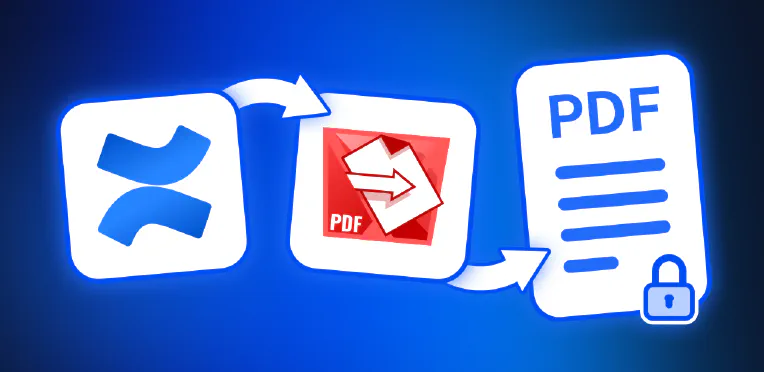
Whether you’re documenting decisions, preparing deliverables, or sharing knowledge across teams, Confluence is where your work lives. But what happens when your pages need to leave that digital workspace? That’s where PDF Export for Confluence comes in - your solution for turning Confluence content into professionally formatted, secure, and shareable PDF documents. In this article, we explore why exporting Confluence pages to PDF matters and how our app makes it fast, customizable, and secure.
Why Export Jira Tickets to PDF and how to do it
Managing tasks, tracking progress, and ensuring seamless communication are cornerstones of efficient project management. Jira is an excellent platform for these tasks, but there are times when you need to work outside its boundaries. Whether you’re meeting legal requirements, archiving issues, or preparing documents for distribution, having a reliable way to export Jira tickets into a secure and universally accessible format is essential. Discover PDF Export for Jira, an app designed to transform Jira issues into polished PDF documents.

A quick Overview of PDF Export for Jira
PDF Export for Jira Efficiently sharing information from Jira is essential for maintaining clear communication and seamless project management. PDF Export for Jira addresses this need by enabling users to share their tickets in a signed PDF format. Whether you’re updating a client on project progress or preparing for a compliance audit, PDF Export for Jira ensures that all ticket details, including comments and history, are captured securely and comprehensively.