All 2024 2025 2026 Abstain Agile Almarise Ampin Ampin.app Amsterdam API Approval Approval Path Artigiano Del Software AsciiDoc Atlassian Audit Automation Billing Board BPMN Brandbook Bug Carol Christmas Cloud Code Collaboration Comala Comparison Compliance Condition Conditional Confluence Content Contract Signatures Cooperation Cost Coworking CSV Custom Domains Customer Success Story Customization Dark Mode Data Analytics Data Center DC DC to Cloud Decadis Delegate Delegating Deployment Design Development DG Prolink Diagram Discount Document Management Documentation Domains Draw.io Drawio EazyBI Ecosystem Email Envorso Event Excalidraw Excel Expectations Export External Share External Share for Confluence Fabio Genovese Feature Financial Gladwell Academy Google Forms Guest Guest Account Herzum HTML Integration Interview JES Jira Journey JSON Kanban Karma Knowledge Base Latex Life in Codes Loom Macro Macro Pack Madalina Minut Management Maria Luisa Frigerio Markdown Marketplace Maximum Billing Quantity Mermaid Migration Miro MQB Nimble Evolution Notification Old Street Solutions OpenAPI Paid Partner Partnership PDF PDF Export PDF Export for Confluence Permission Schemes Plans PlantUML Platinum Predictions Premium Pricing Project Project Templates Report Reports Review Roadmap RTE SAML/SSO Scroll Viewport Scrum Secure Security Selected User Settings Share Sharing Smart Checklist Smart Fields Software Deployment Song Sourcesense Style Summary Summit Swagger Team Timeline Trend Tutorial Use Cases Video Vote Voting Warsaw Dynamics Web Summit Word Workflow Workspace Year
Categories
Tags
Workspace
Featured image

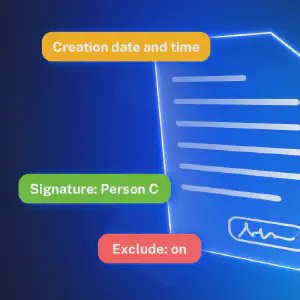
Are you using Contracts Signatures for Confluence to create contracts, agreements, or documents that need signatures? With our set of macros, you can build fully customized contract templates, manage them easily, and collect signatures from people who don’t have access to Confluence. Before we dive into the macros, you can check out the User Guide on how to create and use contracts in Confluence. Using Macros Together: Example Use Case Here is an example contract we just created, Service Level Agreement.
Featured image

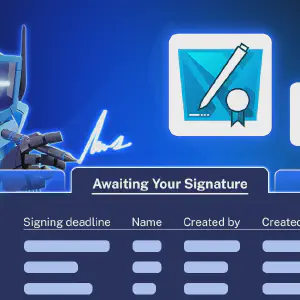
What Is Contract Signatures? Contract Signatures is an app available for Jira and for Confluence that lets teams create, send to internal users or to external user and sign contracts. Whether you’re in project management (Jira) or documentation and collaboration (Confluence), the app makes contract handling simple and connected. There are two separate apps: Contract Signatures for Jira Contract Signatures for Confluence How to Create Contracts in Jira or Confluence You can find full instructions in our documentation, but here’s a quick overview: